joeyi
WHITE PAPER · OCTOBER 2026
Project Command Center
A complete project workspace in a single file.
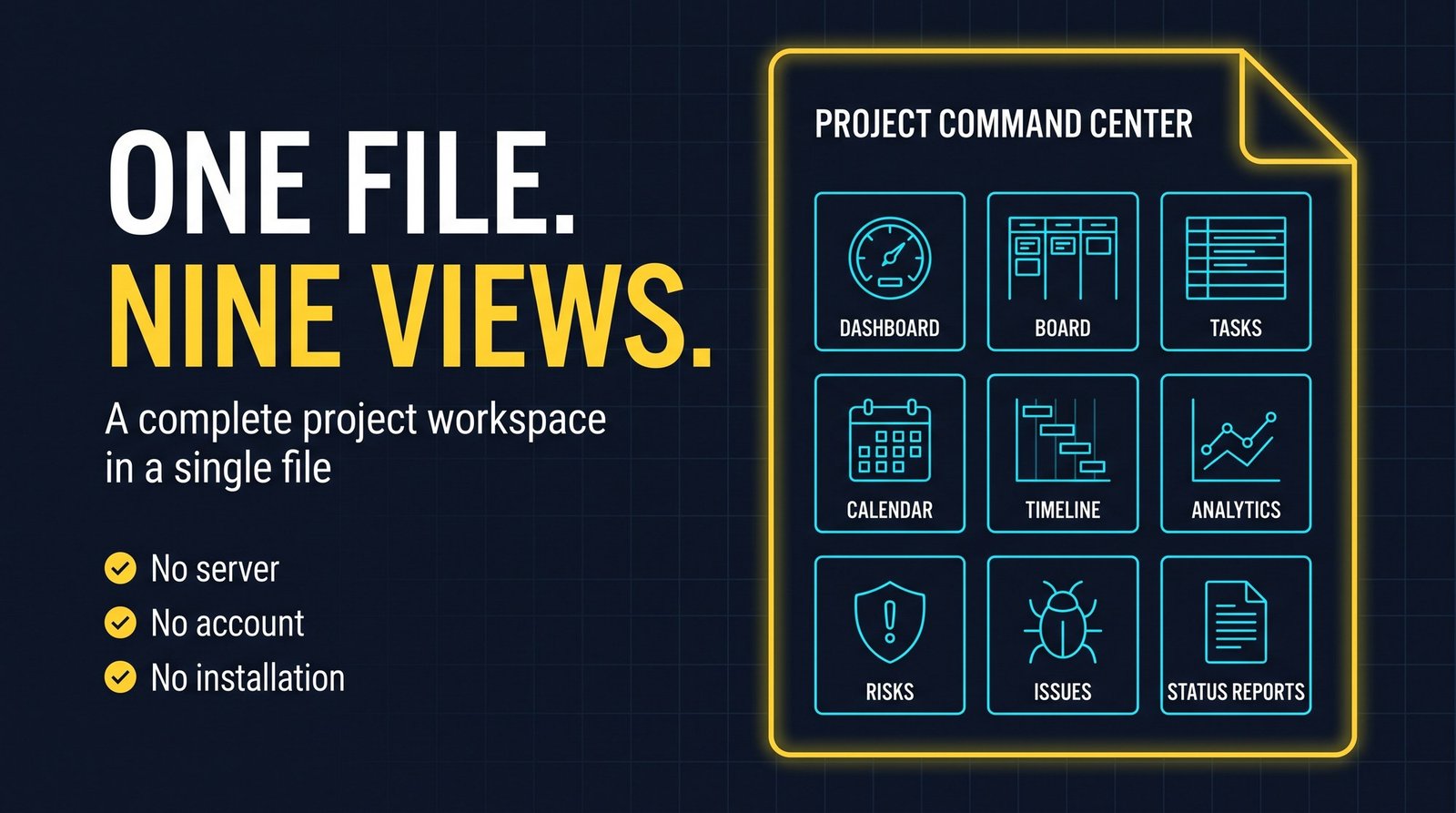
Project Command Center is a complete project workspace that lives in a single HTML file. There is no server, no account, no installation and no internet connection. Everything you create stays on your computer until you choose to export it.
- What it is
- One file. Double-click it and the whole application opens in Chrome or Edge.
- What it covers
- Dashboard, board, tasks, calendar, timeline, analytics, risks, issues and status reports.
- Where data lives
- In your browser’s private storage on your PC. Nothing is uploaded.
- How to keep it safe
- Export a project file or Excel backup regularly. The app reminds you after seven days.
The problem
A project needs one place that answers the status question: how far along, what is late, what is coming, who is loaded up, and what could go wrong. Project Command Center gives you that place without a server to set up or an account to create, and turns the same data into the status report you send.
Nine ways to look at the same data
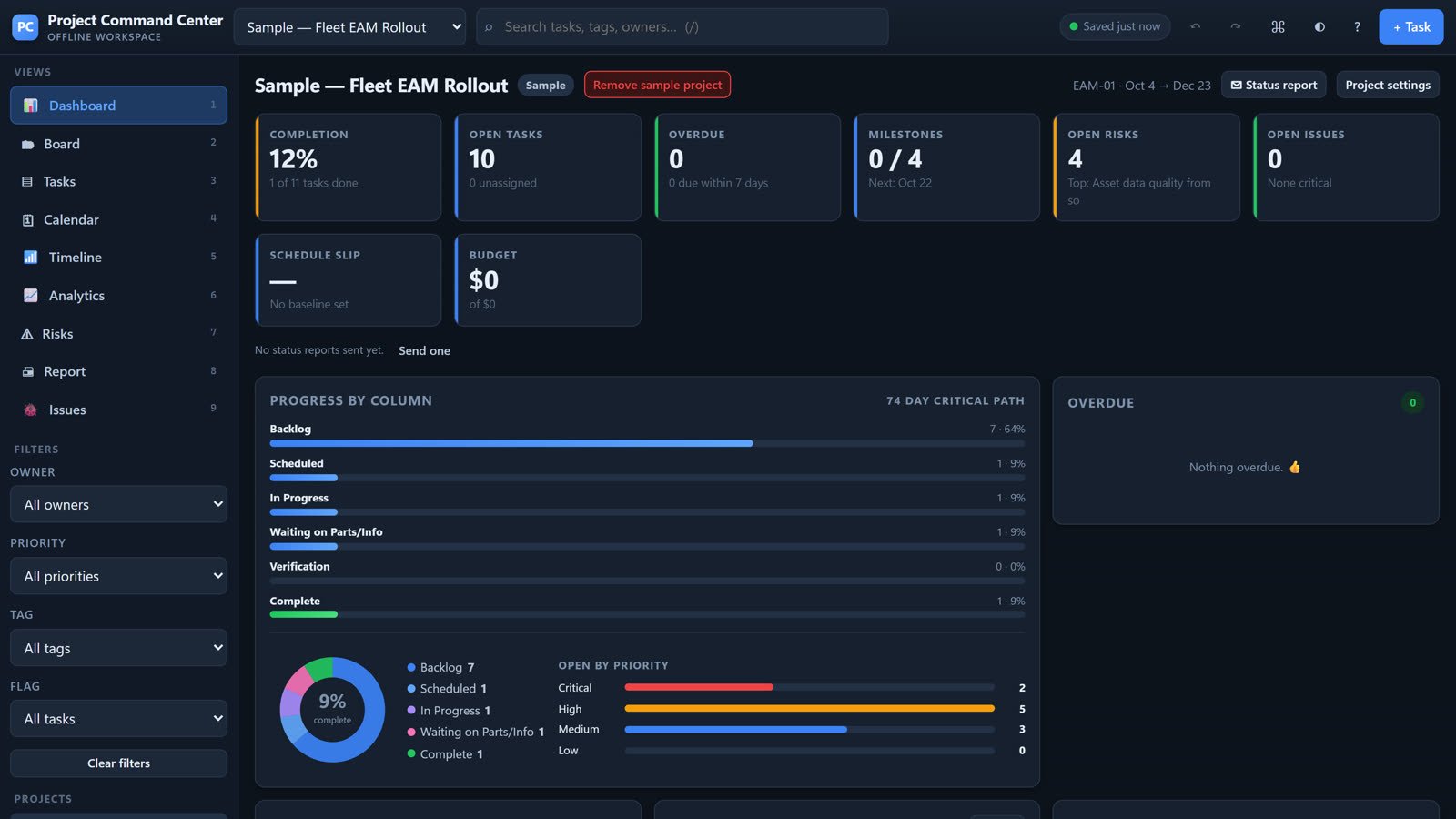
- Dashboard
- The status answer in one screen, with eight headline numbers.
- Board
- A Kanban board where columns are your workflow stages. Drag cards between them to change status.
- Tasks table
- The fastest way to edit many tasks. Every cell is live.
- Calendar
- A month grid showing tasks on their due date and milestones as diamonds.
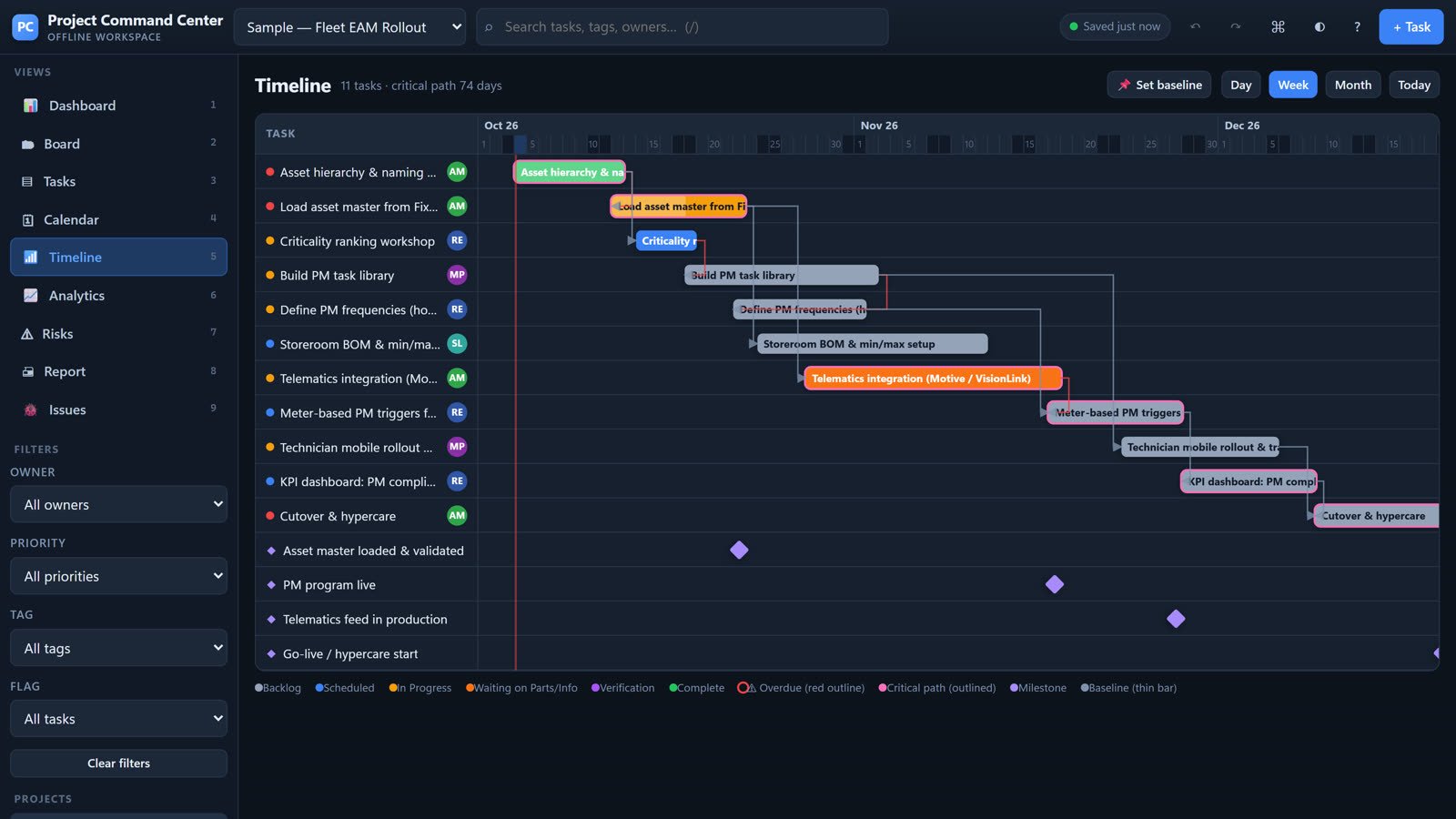
- Timeline & Gantt
- Bars positioned by start and due date, with dependency arrows and the critical path highlighted.
- Analytics
- Charts drawn from the same data, useful for a weekly review, including burn-up and a forecast finish date.
- Risks
- A standard register plus a 5×5 probability-by-impact heat map.
- Issues log
- A standalone log for things that are broken in the systems you work with.
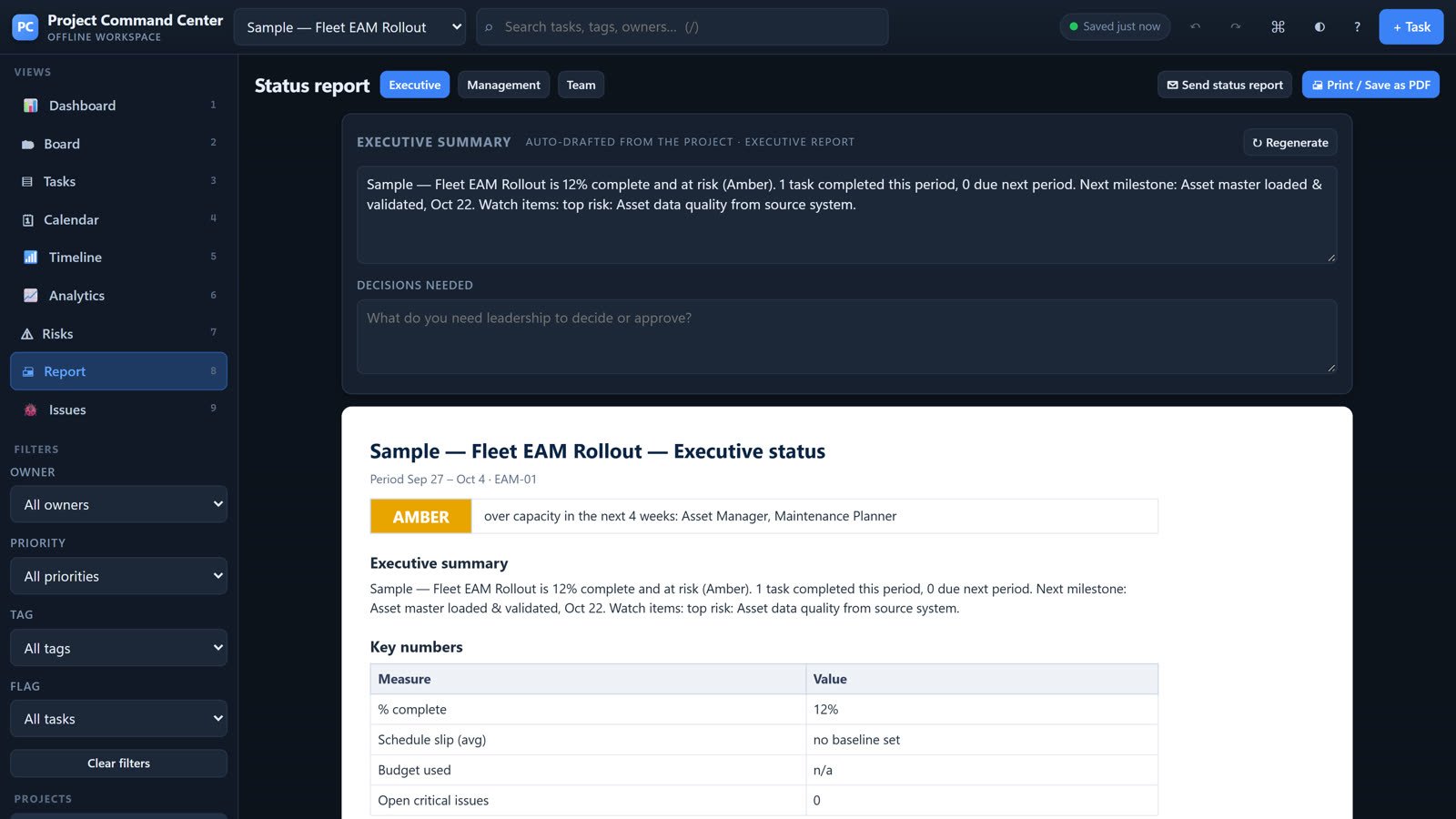
- Status reports
- A print-ready report written for one of three audiences, plus a dialog that turns it into an email.
Status reports
The same live data produces the weekly note to your team, the monthly update to management and the short one for executives. Each report drafts its own executive summary from the project, with a separate block for decisions needed, and a Send dialog turns it into an email.
Your data
- Saving
- There is no Save button. Every change is written to the browser’s own storage on your PC about half a second after you stop typing.
- Project file
- A .pcc export carries every task field, checklists, dependencies, milestones, risks, issues, team, history and attachments. It restores fully.
- Excel
- The full-project workbook has seven sheets. Export it, change it in Excel, drop it back on the window, and the project is rebuilt from what you typed.
- Recovery
- Snapshots are taken automatically, and always before a clear, delete, import or replace.
- Templates
- Start from a blank project, a general delivery plan, or an EAM / maintenance program template.
What you need
- Chrome or Edge.
- The single file, saved somewhere permanent such as your Documents folder.
Limits
- Your projects live in one browser profile on one PC. Another browser, another Windows account or cleared site data will not show them, so export a backup regularly.
- There is no server, so nothing syncs between people automatically. Share a project by exporting it.
- AI tools such as Copilot cannot reach inside the application. Hand them an Excel export instead.
- The screens in this paper show the built-in sample project.
Next step
Tell me about the work you want to make easier. I’m Joey McDougal, and I build practical tools around the way people work.