joeyi
WHITE PAPER · OCTOBER 2026
joeyi Work
Oracle eAM in your hand.
joeyi Work is a native Android app for maintenance and storeroom work on Oracle E-Business Suite Enterprise Asset Management. The phone talks to one thing only, a MuleSoft API; MuleSoft talks to Oracle through Oracle’s own public interfaces. Nothing on the phone reaches the database directly, and the app carries no passwords or keys. It is built for everyone who touches a work order: the technician doing the job, the operator who spots a problem, the storeroom clerk at the window, and the supervisors and managers who keep the shop moving.
- What it is
- A native Android app (Kotlin, Jetpack Compose) for Oracle EBS 12.2 eAM, version 1.2.8.
- How it connects
- Only to a MuleSoft API with seventy routes. The API posts to Oracle through Oracle’s public interfaces, under each person’s own Oracle sign-in.
- Who it is for
- Technicians, operators, storeroom clerks, planners, supervisors and maintenance managers. Eight roles carry thirty-six permissions, and the app shows only what yours allow.
- Where it stands
- Built and tested on the Oracle EBS 12.2.9 Vision instance with Mule 4.12.3, and delivered to IT as a package that checks its own integrity.
The problem
Maintenance work happens in the yard, in the shop and at the stores window, while the record of it lives in Oracle. Every reading, note, photo and completion that waits for a desk is a chance to be forgotten, mistyped or posted late. joeyi Work puts the work order on the phone, and Oracle’s own answer comes back for every change.
Signing in, roles and organizations
- Your Oracle login
- You sign in with your Oracle login. The sign-in lasts about twelve hours after you last use the app; if it runs out, you sign in again over the same screen and nothing you were doing is lost.
- Your permissions
- Roles (technician, operator, storeroom, planner, supervisor, maintenance manager, administrator and full access) carry thirty-six permissions. A technician never sees a button they cannot use.
- Your organization
- A pull-down under your name switches between the organizations you work in. The phone remembers your choice, and IT decides which one you start in.
- Your changes
- You cannot sign out while your own changes are still waiting to reach Oracle. They only ever send under your sign-in, never someone else’s.
What it does
Today
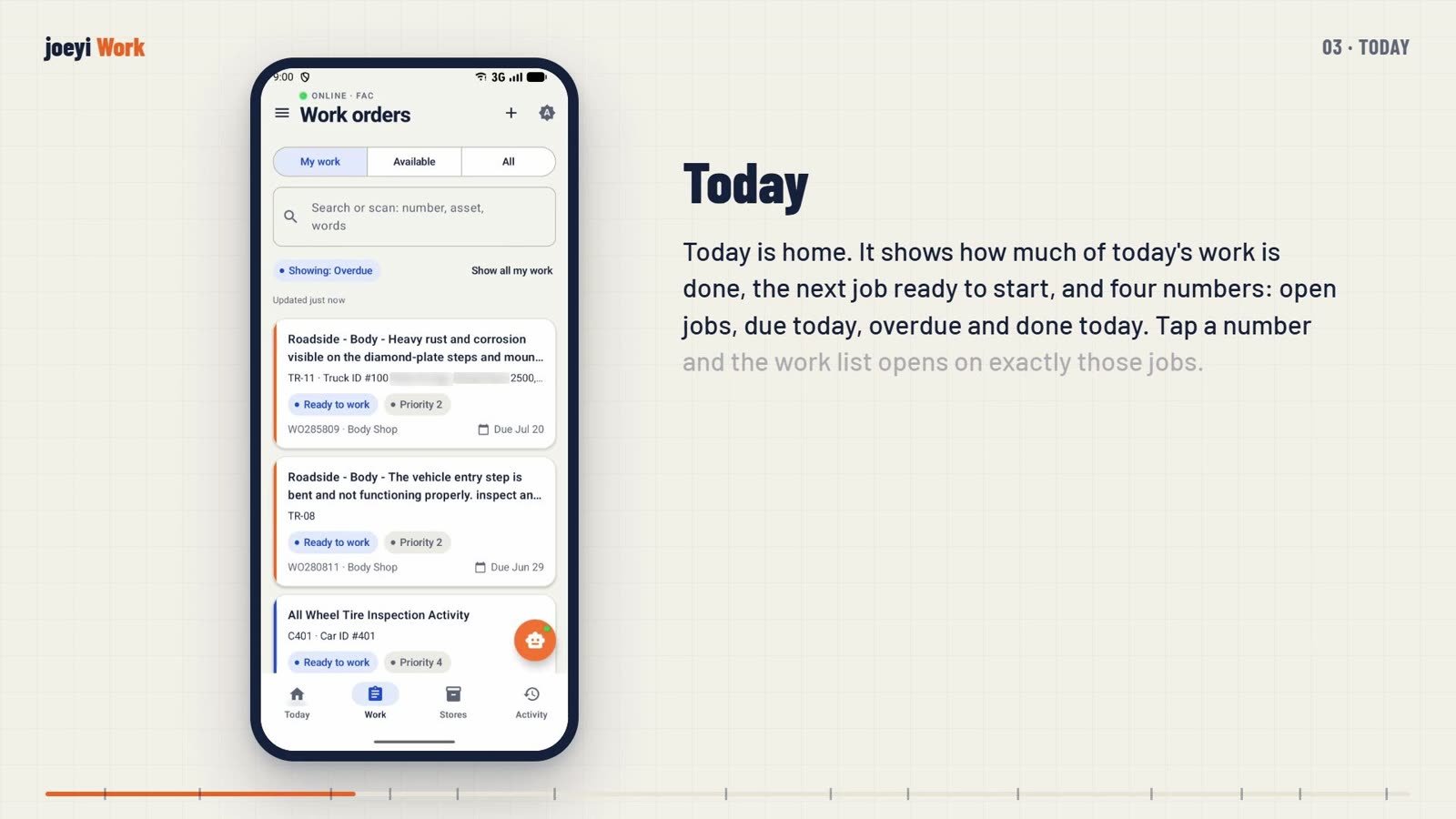
How much of today’s work is done, the next job ready to start, and four numbers: open jobs, due today, overdue and done today. Supervisors and managers see the whole shop first, straight from Oracle’s totals.
Work lists
My work, work available to take, and all work. Search by number, asset or words, or scan a work order’s label. Lists are saved on the phone with the time they were last read, so a dead spot does not leave a blank screen.
A work order
The job, the asset and the status, with the asset’s summary one tap away. Operations with Take this work, which assigns a step to you in Oracle only when Oracle will accept it. Materials, and the Activity history of notes, photos, labor and completions.
Doing the work
Post hours to the operation you worked. Add notes. Take photos or attach PDFs, each checked on the server and filed in Oracle. Request a part and watch where it has got to. Record Oracle’s inspection plans where they belong; a required inspection must be recorded before the job can be completed.
Completing
Complete each operation with its completion code, then the work order: what was done, the completion code, failure, cause and resolution when Oracle asks for them, the cost bucket, every meter on the asset, and a signature on the screen. Oracle records the completion time itself.
Creating work
Tap plus, scan the asset’s tag, and say what needs doing. Before anything is created, the app shows what is already open on that asset. Operators use the Walkthrough: may need repair or needs repair now, a photo, send; their own words are kept as a note. Roadside breakdowns arrive from the fleet telematics system as emergency work orders.
The talk bar
Plain words, spoken or typed: post two hours on operation ten, take the work, add a note, complete it, create a work order for TR122, request a part, how many on hand, a meter reading, take a photo, open a work order. It shows exactly what it will send, asks for what is missing, and nothing goes to Oracle until you confirm.
Assets and meters
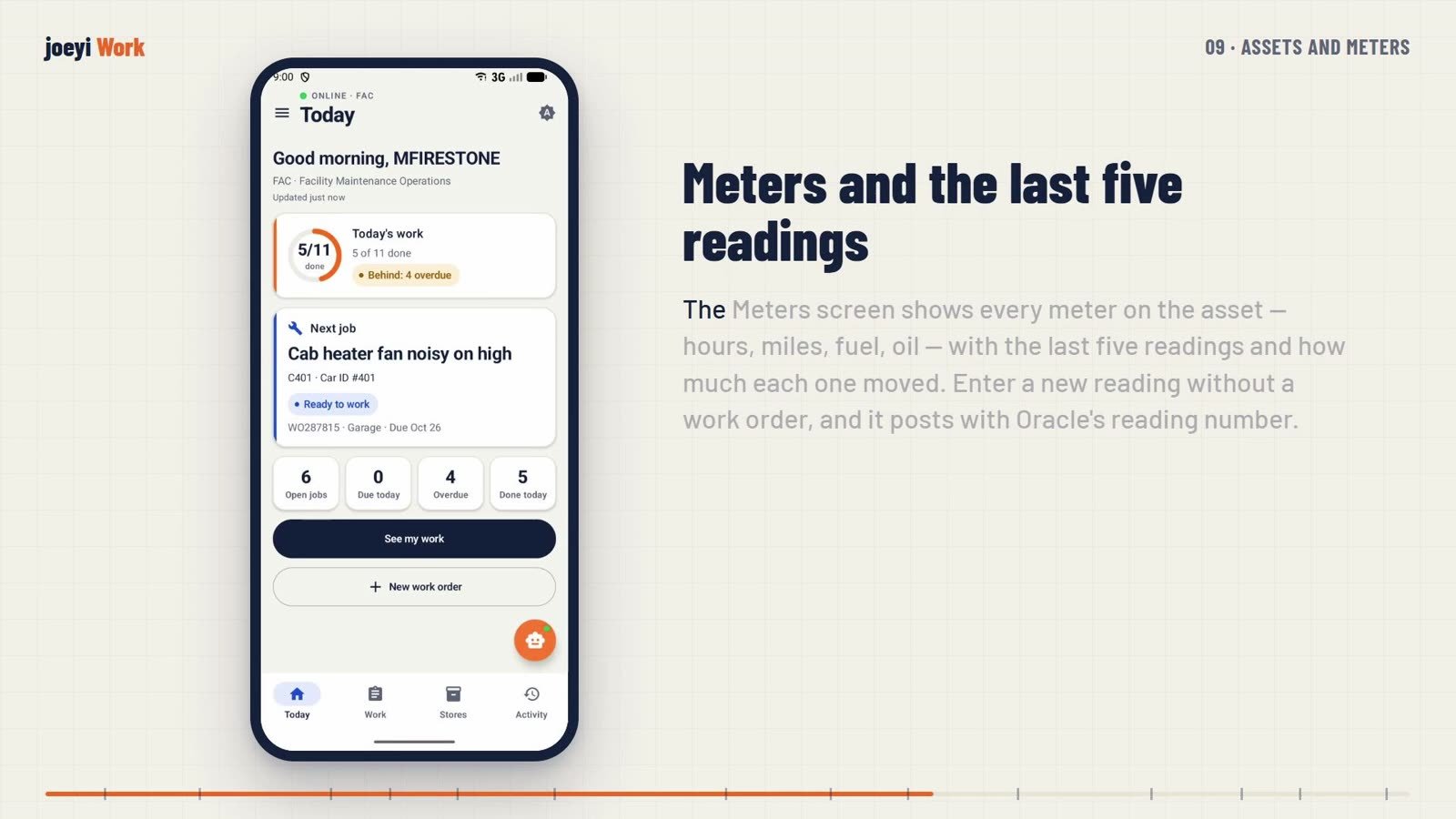
Find any asset by typing or scanning. The Meters screen shows every meter with the last five readings and how much each moved; a new reading posts with Oracle’s reading number.
Storeroom
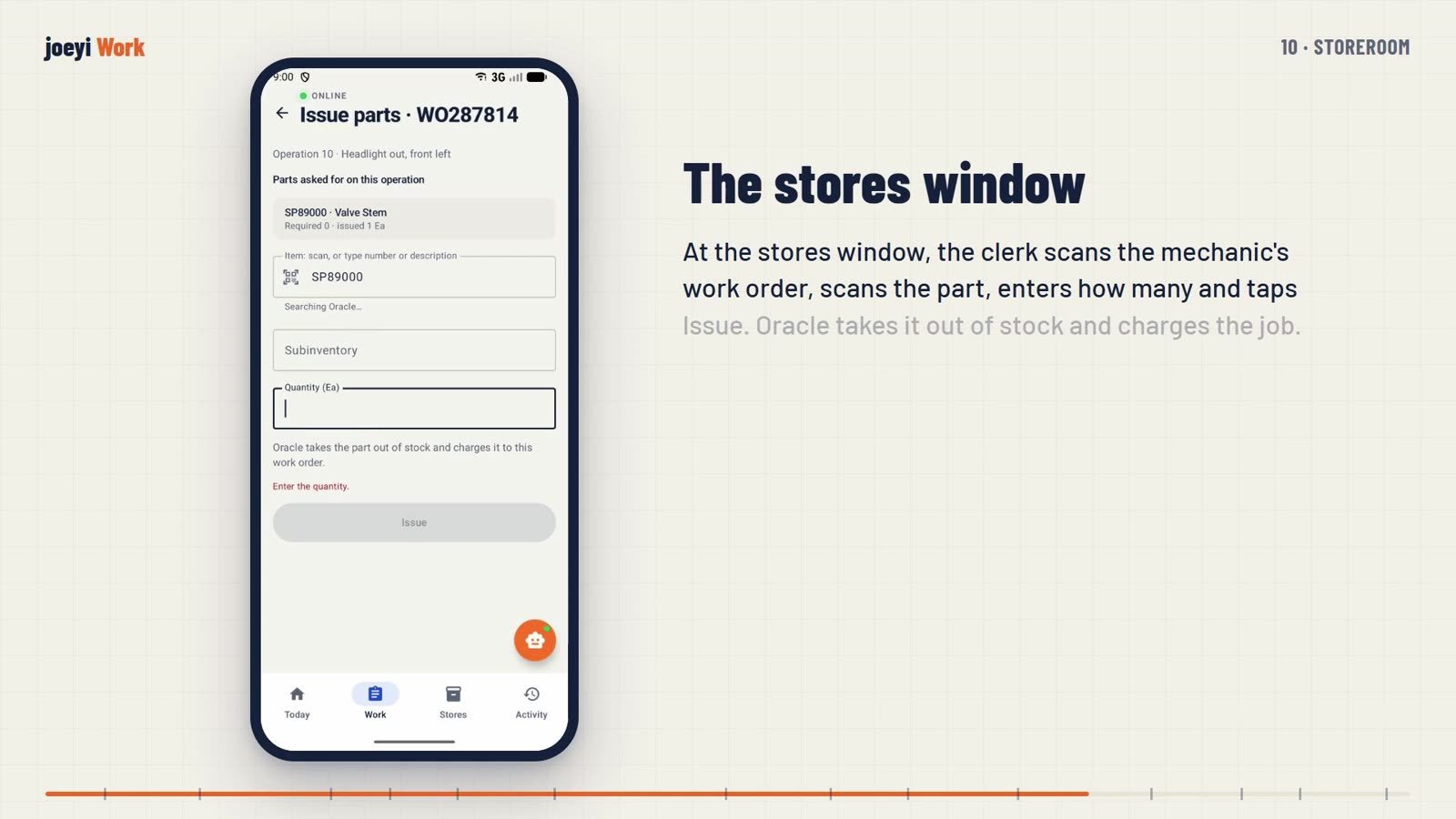
Stores starts with the parts on your own work orders. Search or scan any item to see its bins and the same item in your other organizations. Issue and return parts, issue at the stores window in three scans, receive a purchase order by scan, and count blind, scanning the label to prove you are at the right bin.
Supervisors and managers
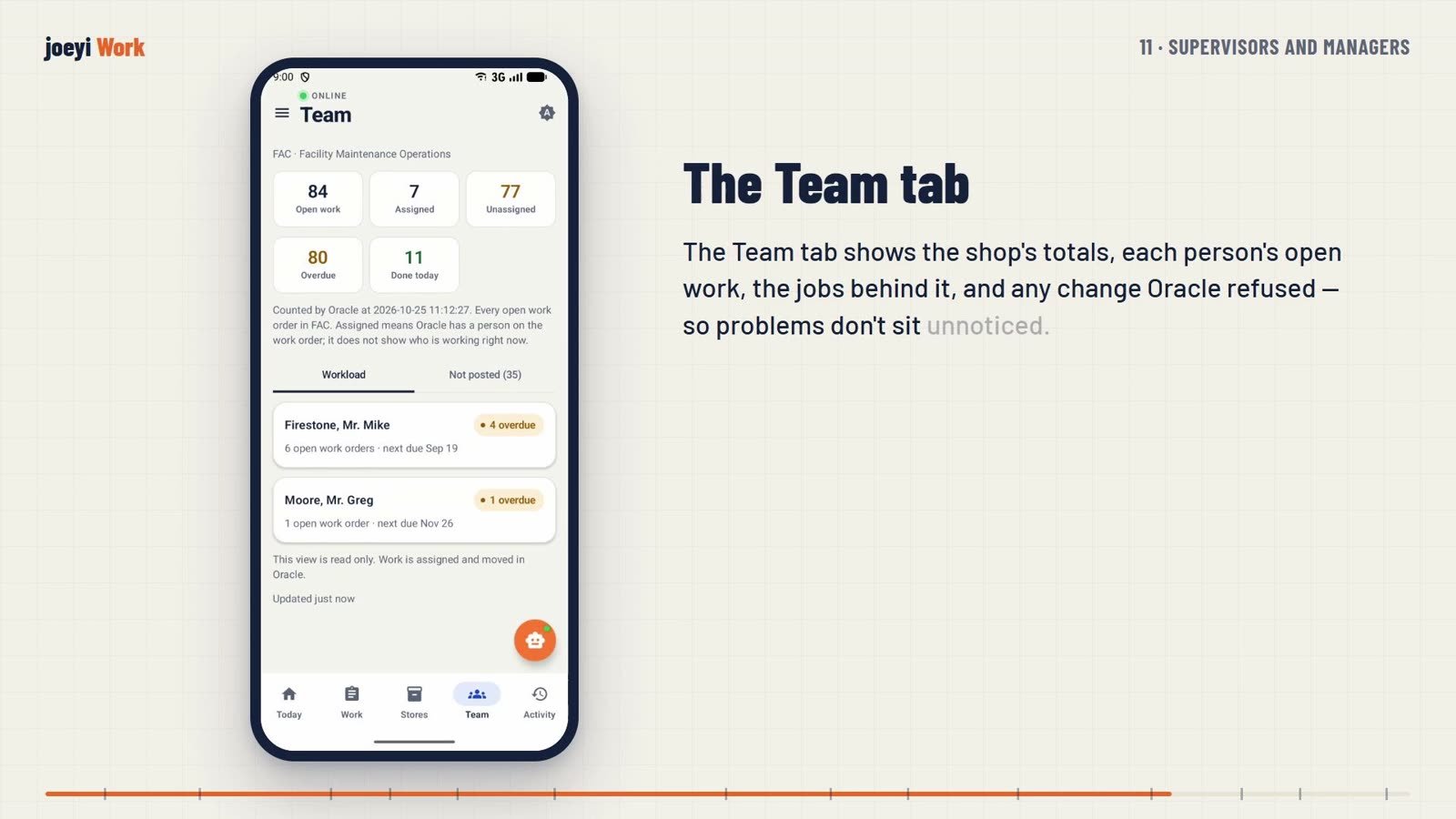
The Team tab shows the shop’s totals, each person’s open work and any change Oracle refused. Vendor close-out picks the supplier from Oracle’s list, adds the ticket number, what they did and photos, ticks the operations the vendor did, and signs. No labor is posted, and Oracle’s note names the supplier.
Safeguards
- Duplicate check
- Before a work order is created, the app lists what is already open on that asset. Open the one that matches, or say yours is a different problem.
- Real readings only
- Every meter reading is checked against what the meter could really have done since the last one: twenty-four hours a day for an hour meter, five hundred miles a day, three hundred gallons of fuel, twelve quarts of oil, plus a day of leeway. A slip of the finger is stopped on the phone, and Oracle refuses it from every screen.
- Inspections and meters at completion
- A required inspection must be recorded before completion. A preventive maintenance job must have its hours or miles; on other jobs only the meters Oracle marks required are needed.
- Nothing lost
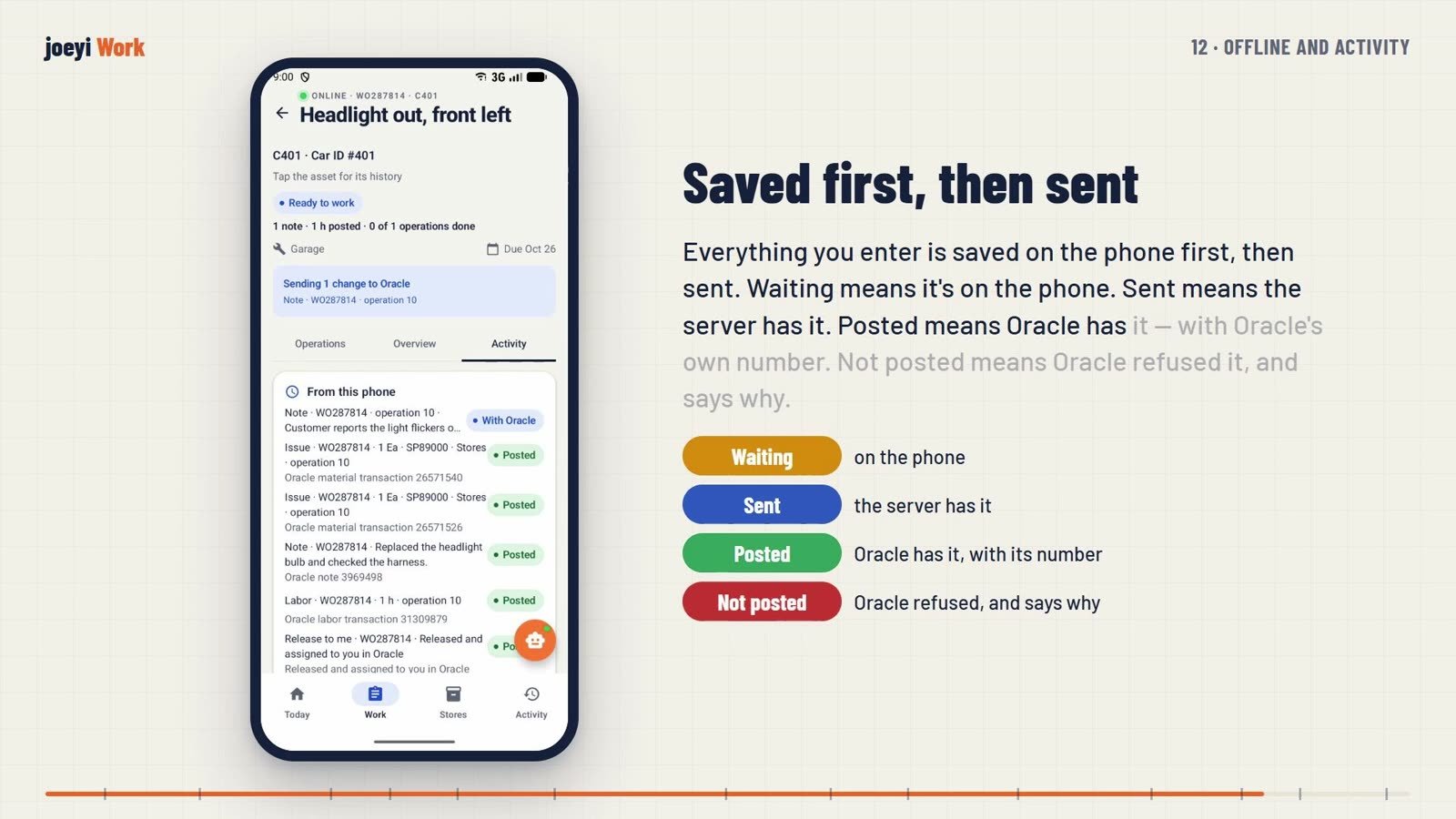
- Everything you enter is saved on the phone first, then sent. Waiting means it is on the phone, Sent means the server has it, Posted means Oracle has it with Oracle’s own number, and Not posted means Oracle refused it and says why. The phone’s database is encrypted.
Under the hood, for IT
- The API
- The MuleSoft API has seventy routes. Every change runs through custom Oracle packages that call Oracle’s own public interfaces, checked against the person’s permissions on every request, and every change has a rollback copy.
- Proof
- Seven hundred fifty-five unit tests, thirty-one on-device tests and API tests against Oracle.
- The package
- An install set of 119 Oracle objects, the Mule 4 project, the Android project and a test build, with documents for install, configuration, security, operations, the field test, offline behaviour and the data on the phone. The package checks its own integrity, and there are no keys inside the app.
- Ready in the API, waiting for screens
- Fluid samples, asset documents, guided repair, part allocation and approval, and count approval.
What you need
- Oracle E-Business Suite 12.2 Enterprise Asset Management.
- A MuleSoft runtime for the API (built and tested with Mule 4.12.3).
- Android phones, with the app installed through your device management.
Limits
- Built and tested on the Oracle EBS 12.2.9 Vision demo instance; the screens in this paper and in the video show Vision data.
- Sign-in is the Oracle password; corporate single sign-on is not built.
- AI in the talk bar is advisory and optional, and so is virus scanning of photos; IT decides whether to turn them on.
- Some features are ready in the API but have no phone screen yet (listed above).
Next step
Tell me about the work you want to make easier. I’m Joey McDougal, and I build practical tools around the way people work.