joeyi
WHITE PAPER · OCTOBER 2026
joeyi DataFlow
Load validated eAM data into Oracle E-Business Suite.
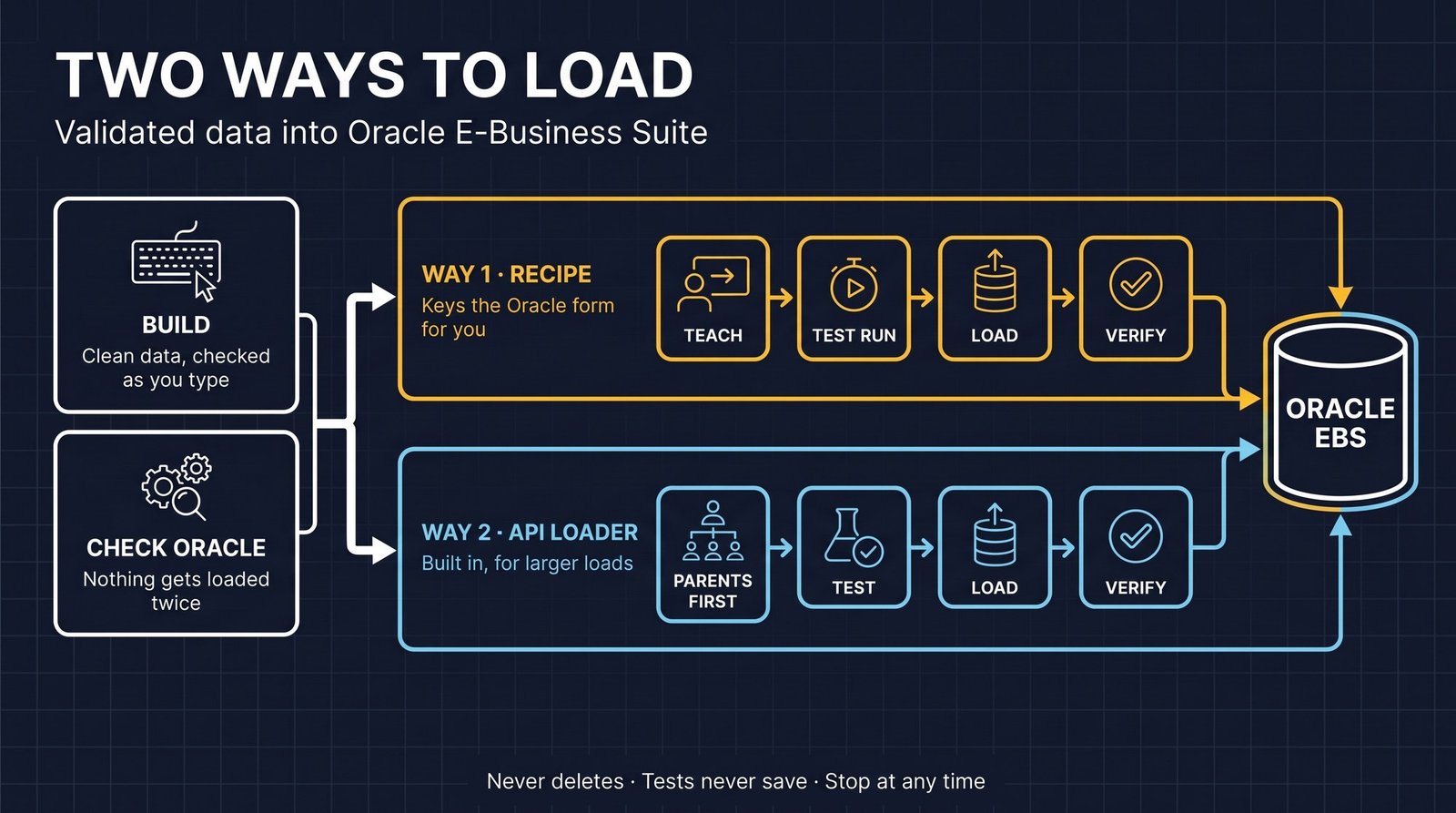
DataFlow loads validated eAM conversion data into Oracle E-Business Suite. It has two parts: the free eAM Load Builder, where you build and check your conversion workbooks sheet by sheet, and DataFlow Pro, which tests, loads and verifies those rows in Oracle. The flow is always the same: build, test run, load, verify.
- What it is
- A loader for Oracle E-Business Suite eAM conversion data, with a free workbook builder.
- What it does
- Checks every cell, shows what is already in Oracle, tests before it saves, loads hands-free and verifies each record.
- How it loads
- Two ways: a recipe that keys Oracle Forms for you, or the built-in API loader for larger loads.
- Safety
- It never deletes a record, and nothing is loaded until you have seen a passing test run.
The problem
An eAM go-live means thousands of assets, groups and categories, keyed by hand into Oracle Forms. It is slow, and every typo becomes bad data.
How it works
Build
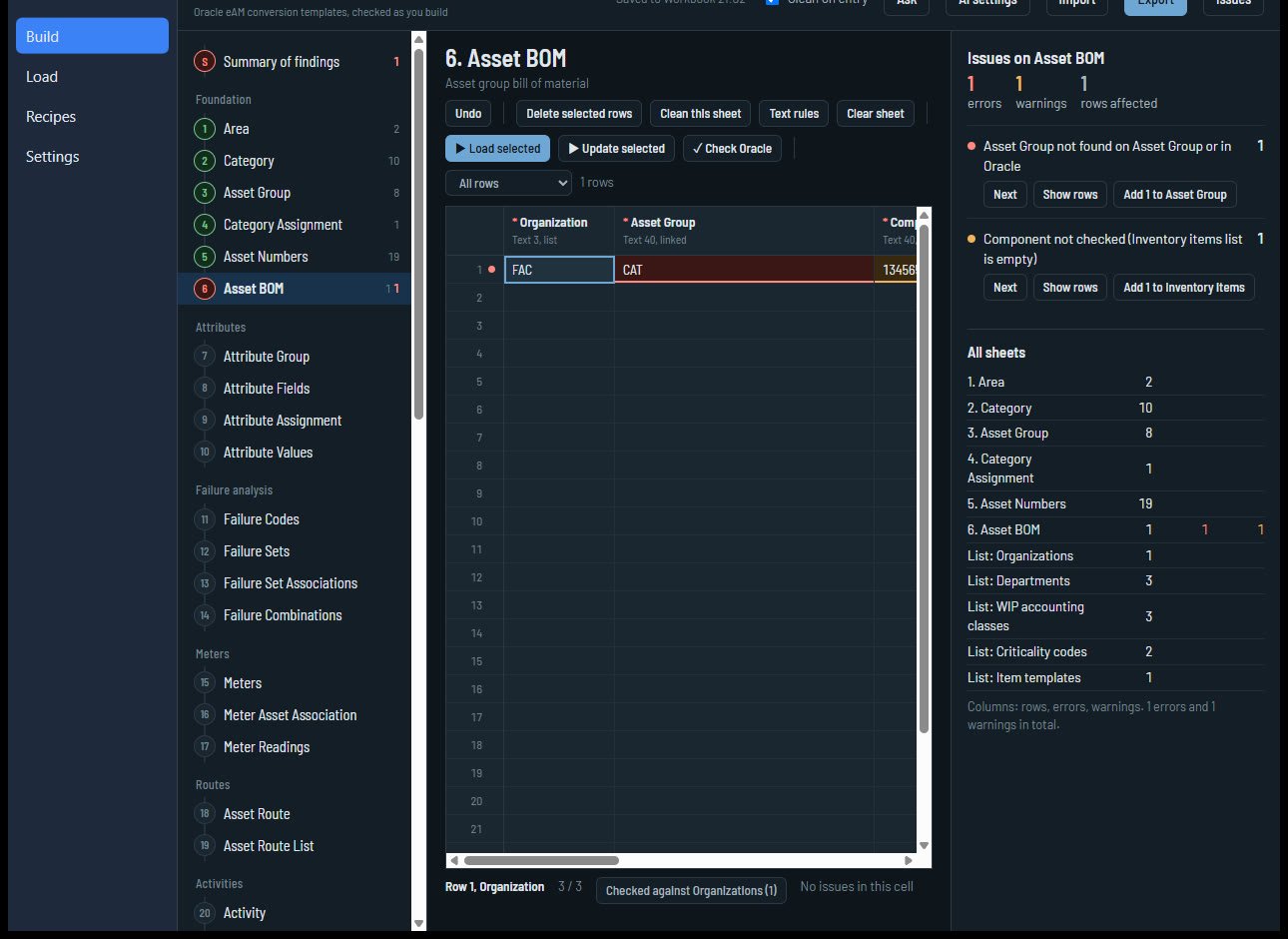
Each sheet in the eAM Load Builder is one Oracle conversion template, in load order: Area, Category, Asset Group, Category Assignment, Asset Numbers, Asset BOM, and so on. Every cell is checked as you type: required fields, lengths, dates, lists and references to other sheets. The Issues panel lists each problem with the rows it affects, with a one-click fix when a value is simply missing from a list.
Check Oracle
DataFlow looks up every row in your live system, read-only, and marks the ones that are already in Oracle. They are skipped when you load, so nothing gets loaded twice.
Test run
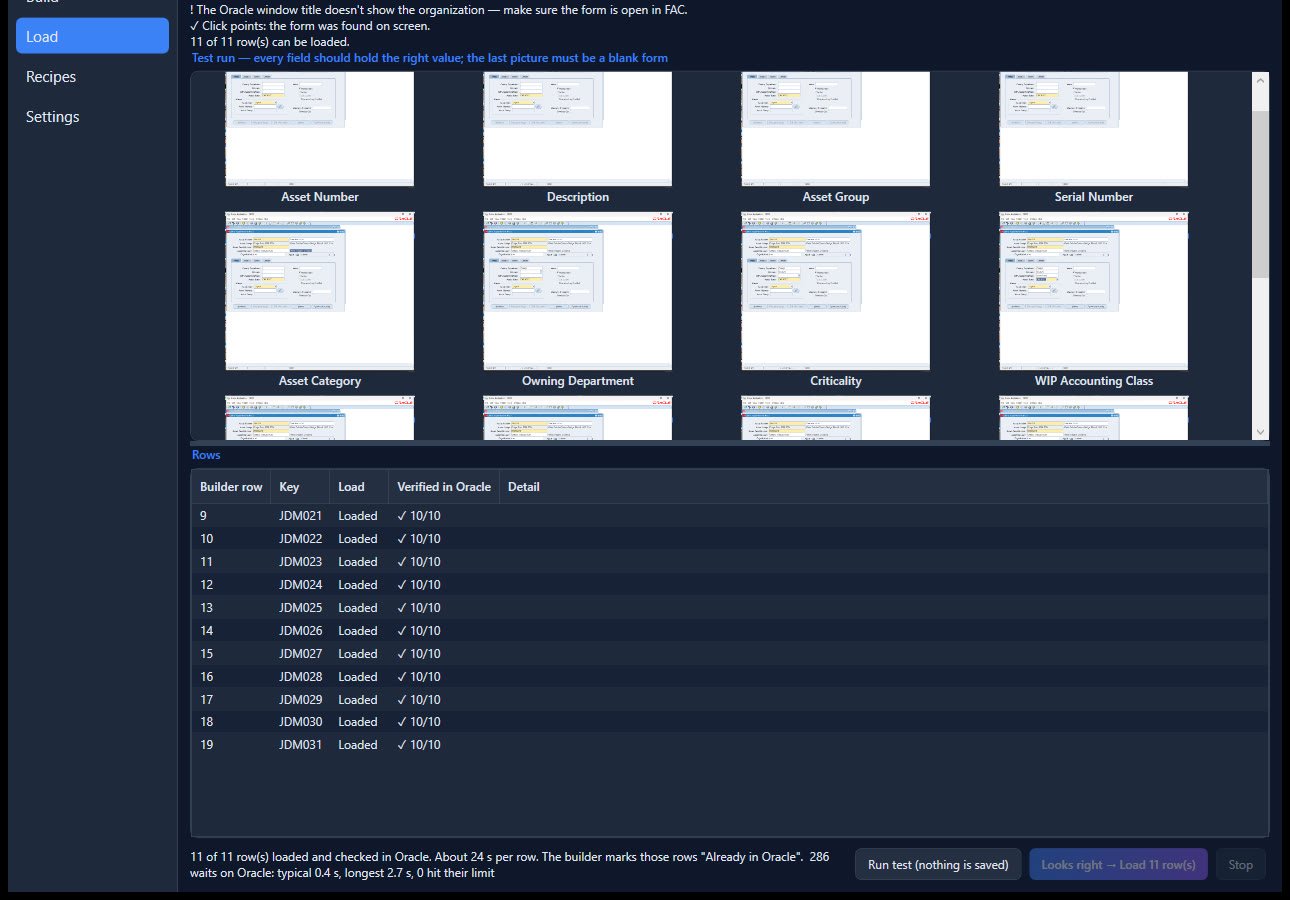
Before anything is saved, a test run fills the Oracle form from the first row and photographs every field, then throws the record away. You check every picture.
Load
DataFlow keys every record hands-free. Stop halts cleanly between steps.
Verify
Each record is read back from the Oracle database and checked field by field. Loaded and verified rows are marked “Already in Oracle” in the builder, so loading the sheet again never creates duplicates.
Way one: the recipe
DataFlow has two ways to load. The first is the recipe. It keys the Oracle form for you, like a data loader, but with ease. A recipe tells DataFlow how to fill one Oracle form: which builder column goes into which field, in what order, and what to press to save and start the next record. You teach it without code: pick a column, then click its field in Oracle. If the field is on another tab, click the tab first. Each sheet has one recipe for creating records and can have one for updating them.
Way two: the API loader
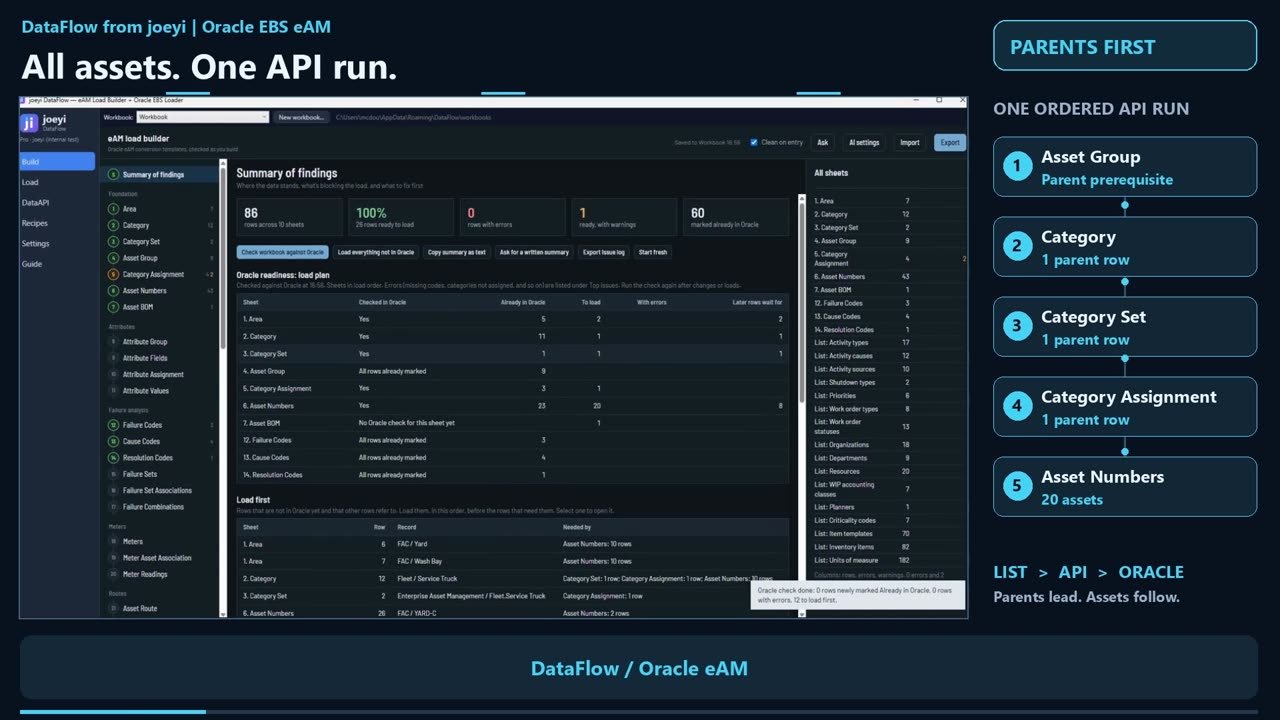
For larger loads, the API loader is built in. It loads through the Oracle APIs, in dependency order. Asset group comes first, because the parent records must be ready before the assets that depend on them: asset group, category, category set, category assignment, and finally asset numbers. One action starts the chain. Each step is tested, then loaded through the Oracle APIs. In the demonstration run shown in the overview video, all twenty assets loaded in one run.
Built to be safe
- It never deletes a record. Recipes refuse Oracle’s delete key everywhere.
- Test runs never save. Save is replaced with clearing the record.
- Oracle checks are read-only.
- You can stop at any time; it halts cleanly between steps.
- It stops when a page or save does not behave as expected, instead of typing into the wrong place.
- Nothing is loaded until you have seen a passing test run.
Editions
| Free | Pro / trial | |
|---|---|---|
| Build, fix and check workbooks | Yes | Yes |
| Check Oracle (read-only) | Yes | Yes |
| View recipes | Yes | Yes |
| Test runs, loads, updates | Yes | |
| Teach and edit recipes | Yes |
Building workbooks is always free. A 14-day trial gives full Pro features. Licenses are per company and run for a year.
What you need
- Oracle E-Business Suite with eAM.
- A Windows PC to run DataFlow.
- For the Oracle check: a read-only database account. DataFlow never writes through this connection.
- For a Forms load: the Oracle form open on a new, blank record.
Limits
- Without a database connection you can still load, but DataFlow cannot mark existing records or check the results.
- During a Forms load, keep your hands off the mouse and keyboard while it runs.
- The screens in this paper show a demonstration system.
Next step
Tell me about the work you want to make easier. I’m Joey McDougal, and I build practical tools around the way people work.